
A) Introduction
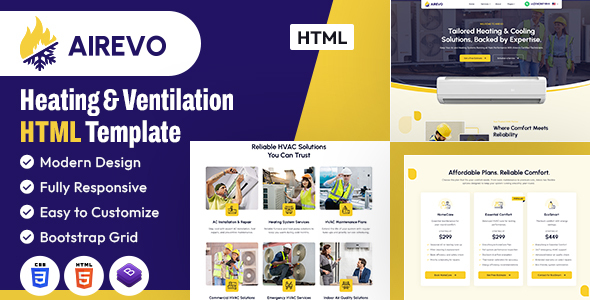
Empower your HVAC service, cooling solutions company, or home-comfort brand with the Airevo HTML Template — a clean, professional, and feature-rich solution crafted specifically for HVAC providers, air conditioning specialists, heating technicians, and ventilation-focused businesses. Airevo blends modern design with practical functionality to deliver a trustworthy, user-friendly website experience that builds credibility and boosts customer engagement.
With Airevo’s intuitive layout and easy-to-navigate interface, creating a strong online presence is effortless. Whether you’re offering AC installation, providing heating repair services, managing a full-service HVAC company, or showcasing maintenance plans, this template adapts to your needs — ensuring your audience finds exactly what they’re looking for quickly and efficiently.
Customize your site with Airevo’s specialized features. From service listings and quote request forms to maintenance packages, technician profiles, blogs, and customer support sections, Airevo equips you with all the essential tools to serve your community, grow your business, and inspire confidence in your expertise.
Built with a fully responsive framework, Airevo guarantees flawless performance and crisp visuals on any device. Whether accessed on smartphones, tablets, or desktops, your website will appear professional and function seamlessly — offering a reliable, impactful, and accessible experience for every visitor.
Choose Airevo to elevate your HVAC brand with a powerful, polished, and service-driven digital presence.
It contains 1 Home Page layouts and about page layout and 25 valid HTML5 page templates designs, different Blog page styles and . Airevo HVAC template features are coded with Bootstrap Bootstrap v4.6.2, HTML5 & CSS3 and unlimited color schemes. It’s compatible with all modern browsers and search engine friendly. So showcase your artworks and services with this awesome template!
 How to Edit HTML Files?
We have included 25 custom HTML templates like Home Page, About, Services, Projects and Contact etc. Please open any HTML files with a text editor like Dreamweaver, Notepad or Notepad++ and edit any lines what you want.
C) How to Edit CSS Files?
We have included some custom CSS styles like style.css (default). Please open any CSS files with a text editor like Dreamweaver, Notepad or Notepad++ and edit any lines what you want. For example if you want to edit your banner color open style.css and look at “.home-outer-wrapper” for banner image and change your image.
D) How to use Color Schemes?
Please open style.css file from Airevo HVAC/assets/css folder with a text editor and build your own colors. #f8cf2a this is our primary color, you can search and replace all to your new color code.
E) How to use On Load Animation?
We are wow.js on load animation for our website. you can edit them by simply adding or changeing the predefined classes name.
jQuery Files
Photos
Icons:
font:
F) Resources Used
Global
Colors:
- Primary: #f8cf2a
- Secondary: #ffffff
- Text: #5a5c67
- Accent: #060b2c
Font Sizes:
- h1 >> 60
- h2 >> 46
- h3 >> 36
- h4 >> 28
- h5 >> 24
- h6 >> 20
- p >> 16
Image Links:
- https://elements.envato.com/collections/GUMJR37NAB
- https://elements.envato.com/heating-cooling-icons-8PJ5BAE
- https://elements.envato.com/air-conditioner-service-outline-icons-9CX8ZZ2
- https://elements.envato.com/air-conditioner-icon-pack-PX8LB4S
- https://elements.envato.com/hvac-technician-installing-an-air-conditioner-on-a-SFLPFCX
- https://elements.envato.com/woman-adjusting-hard-hat-while-kneeling-near-air-c-6ZZAB7A
- https://elements.envato.com/tablet-solar-energy-or-engineering-team-on-roof-in-2FH7GY2
- https://elements.envato.com/smiling-businesswoman-holding-remote-control-while-MKMMW3K
- https://elements.envato.com/engineers-inspecting-the-air-conditioning-system-i-FTCF5DQ
- https://elements.envato.com/bottom-view-of-worker-checking-solar-inverter-work-MG4C6KZ
- https://elements.envato.com/tablet-solar-energy-or-engineering-team-on-roof-in-KL4233K
- https://www.flaticon.com/free-icon/placeholder_819865
- https://www.flaticon.com/free-icon/telephone_16560993
- https://www.flaticon.com/free-icon/letter_18078541
Note: All images are used for preview purposes only. They are not part of the template and hence, not included in the final purchase files.
Once again, thank you so much for purchasing this template. As I said at the beginning, I’d be glad to help you if you have any questions relating to this template. No guarantees, but I’ll do my best to assist. If you have a more general question relating to the themes and templates on ThemeForest, you might consider visiting the forums and asking your question in the “Item Discussion” section.
Designing Media Team